Skip to content

Agentless by design

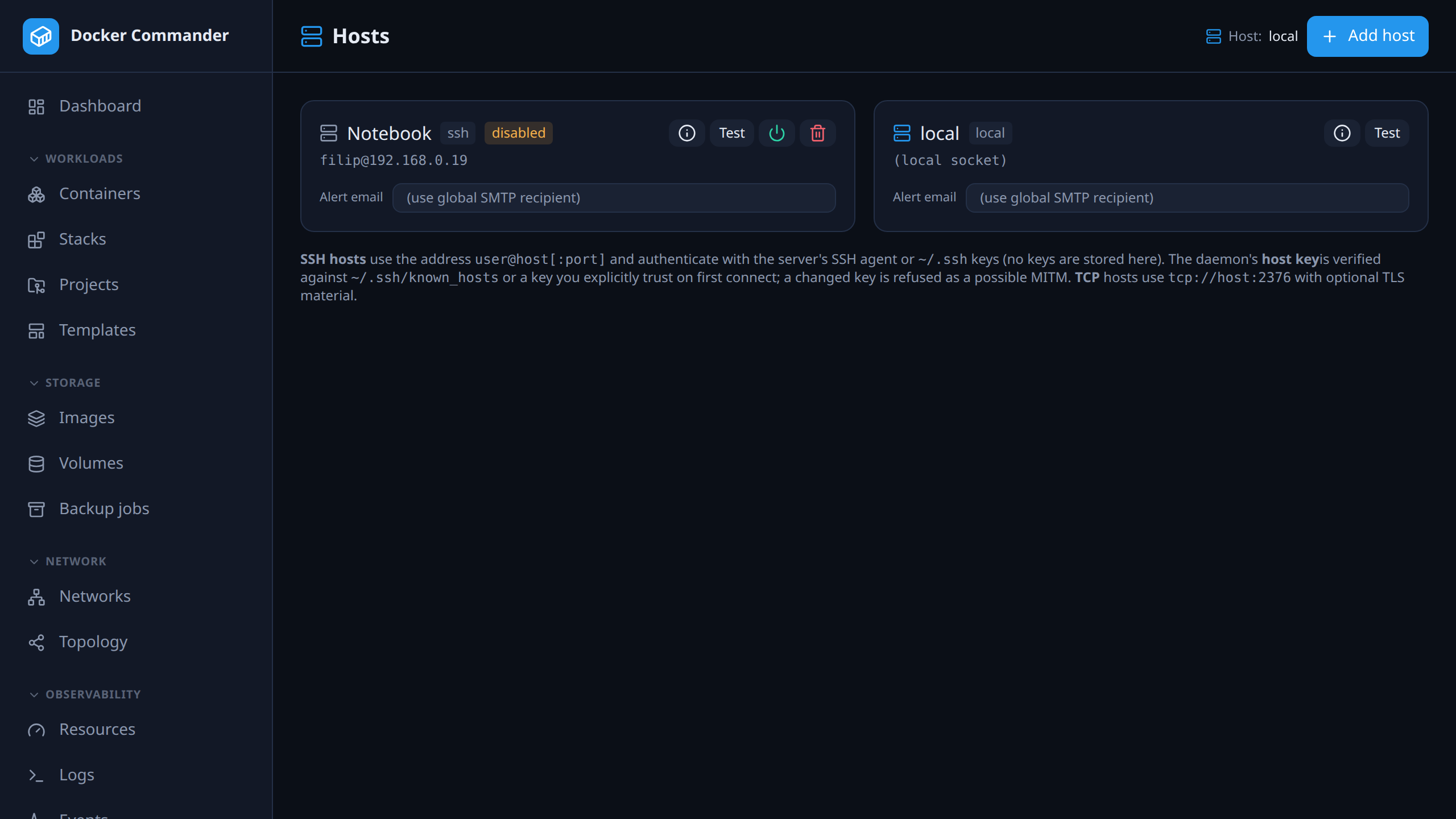
Docker Commander speaks the Docker Engine API directly — over the local socket, TCP+TLS or SSH. Nothing is installed on the hosts. SSH host keys are verified against known_hosts with trust-on-first-use, and the test step stops right after key exchange, so an unapproved server never sees your keys.
127.0.0.1:8470
The hosts list: local, TCP and SSH hosts with engine version, hardware and a disable switch.

Roles that stop at a host boundary

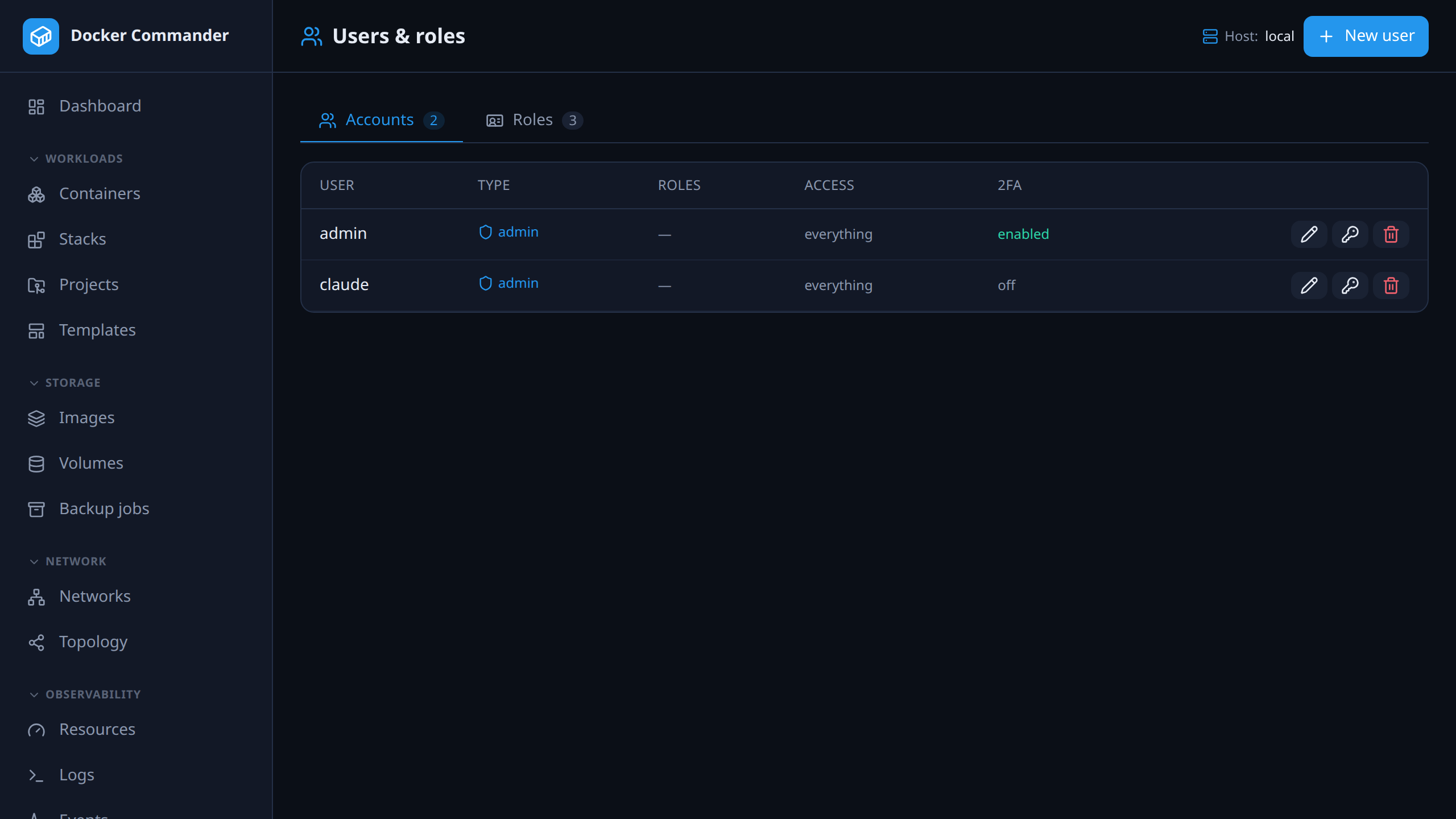
“May restart containers” can mean “on staging, not production”. A host outside a role’s scope is invisible, not just blocked — and the audit log records which host every action really reached.

127.0.0.1:8470
Users and roles with per-host scoping.

The complete list

Everything in multi-host

Agentless. Local, TCP+TLS or SSH.

  • Manage local, TCP(+TLS) and SSH daemons — no agent to deploy, it speaks the Docker Engine API.
  • SSH host keys are verified against known_hosts with trust-on-first-use; a changed key is refused as a possible MITM.
  • Every view rebinds to the selected host and the alert engine watches all of them.
  • A per-host detail panel shows hardware, OS and engine, and a host can be disabled to take it out of monitoring.
  • Roles can be scoped to specific hosts — a host outside that scope is invisible, not just blocked.
  • Projects deploy to a remote host and can be moved between hosts; the old copy is offered a shutdown so two never run at once.

In the user manual

Try it on one host tonight

It is one binary and a named volume. If you do not like it, delete both — nothing on your Docker hosts was changed to accommodate it.

Docker Commander v1.7.2 — Docker, hardened
docker run -d --name dockercmd \
  -p 127.0.0.1:8470:8470 \
  --group-add "$(stat -c '%g' /var/run/docker.sock)" \
  --read-only --tmpfs /tmp \
  --security-opt no-new-privileges \
  --cap-drop ALL \
  -v /var/run/docker.sock:/var/run/docker.sock \
  -v dockercmd-data:/data \
  ghcr.io/koduj-dev/docker-commander:latest

Read-only root filesystem, no added capabilities, no privilege escalation, bound to localhost. On rootless Docker or Docker Desktop, drop the --group-add line.

Show the minimal command
Docker — minimal
docker run -d --name dockercmd -p 127.0.0.1:8470:8470 \
  -v /var/run/docker.sock:/var/run/docker.sock \
  -v dockercmd-data:/data \
  ghcr.io/koduj-dev/docker-commander:latest

Fewer flags, and correspondingly fewer guardrails. Fine for a throwaway look on a machine you do not mind losing; the hardened form above is what belongs on anything you keep.

MIT licensed · no account · no telemetry · Linux, macOS and Windows