Skip to content

Resources: per container, per stack, per byte

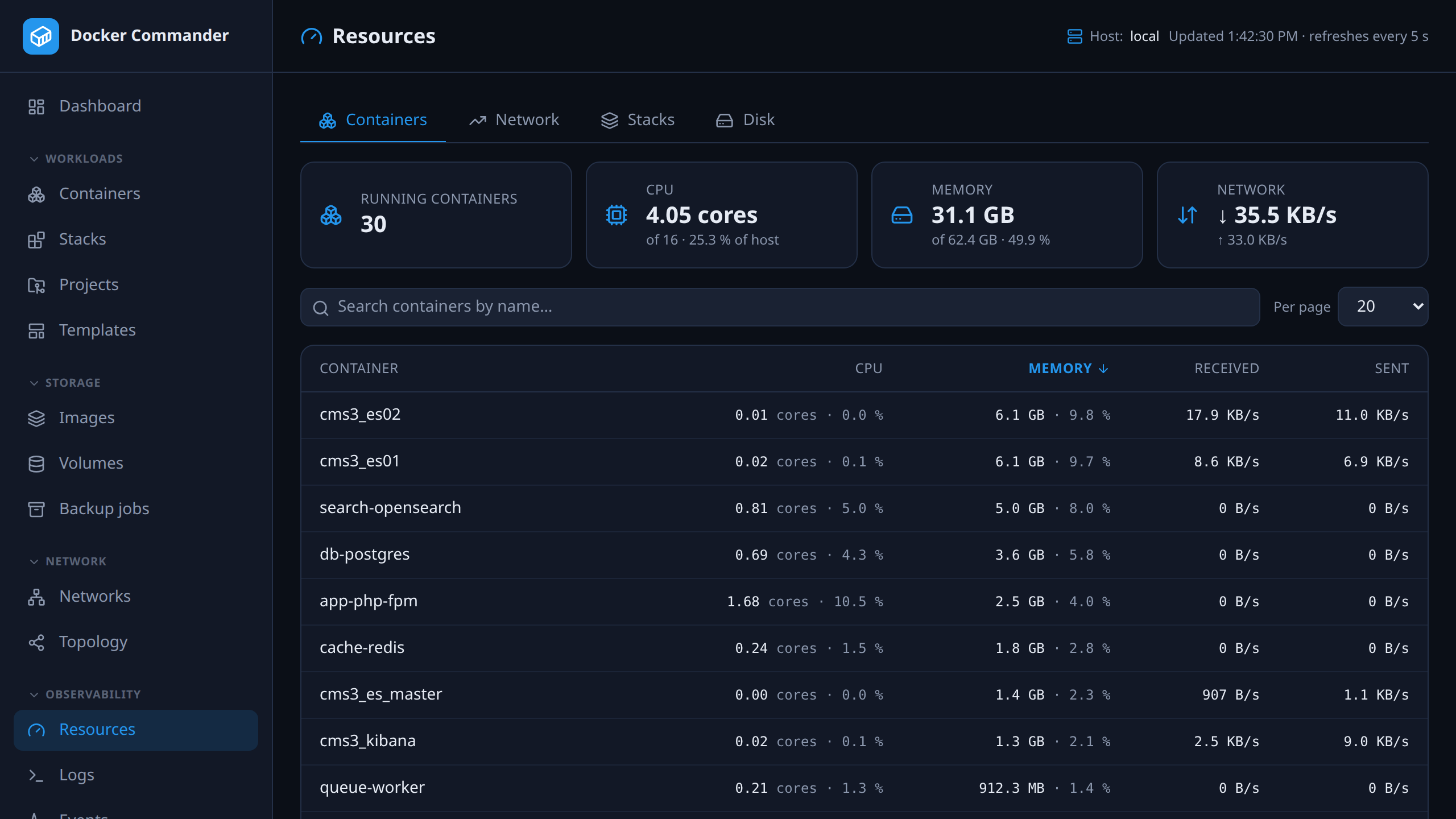
CPU, memory and network for every container and every Compose stack, refreshed every five seconds. The Network tab ranks top talkers averaged over a stored window — 5 minutes, 15 minutes or an hour — instead of a poll sample that reorders itself every refresh. The Disk tab sizes every image, container, volume and build-cache record, shows what an image shares with others and what a prune would actually free.
127.0.0.1:8470
The Resources page: running containers with CPU cores, memory and network rates, sortable, with host totals above.

One log stream for the whole host

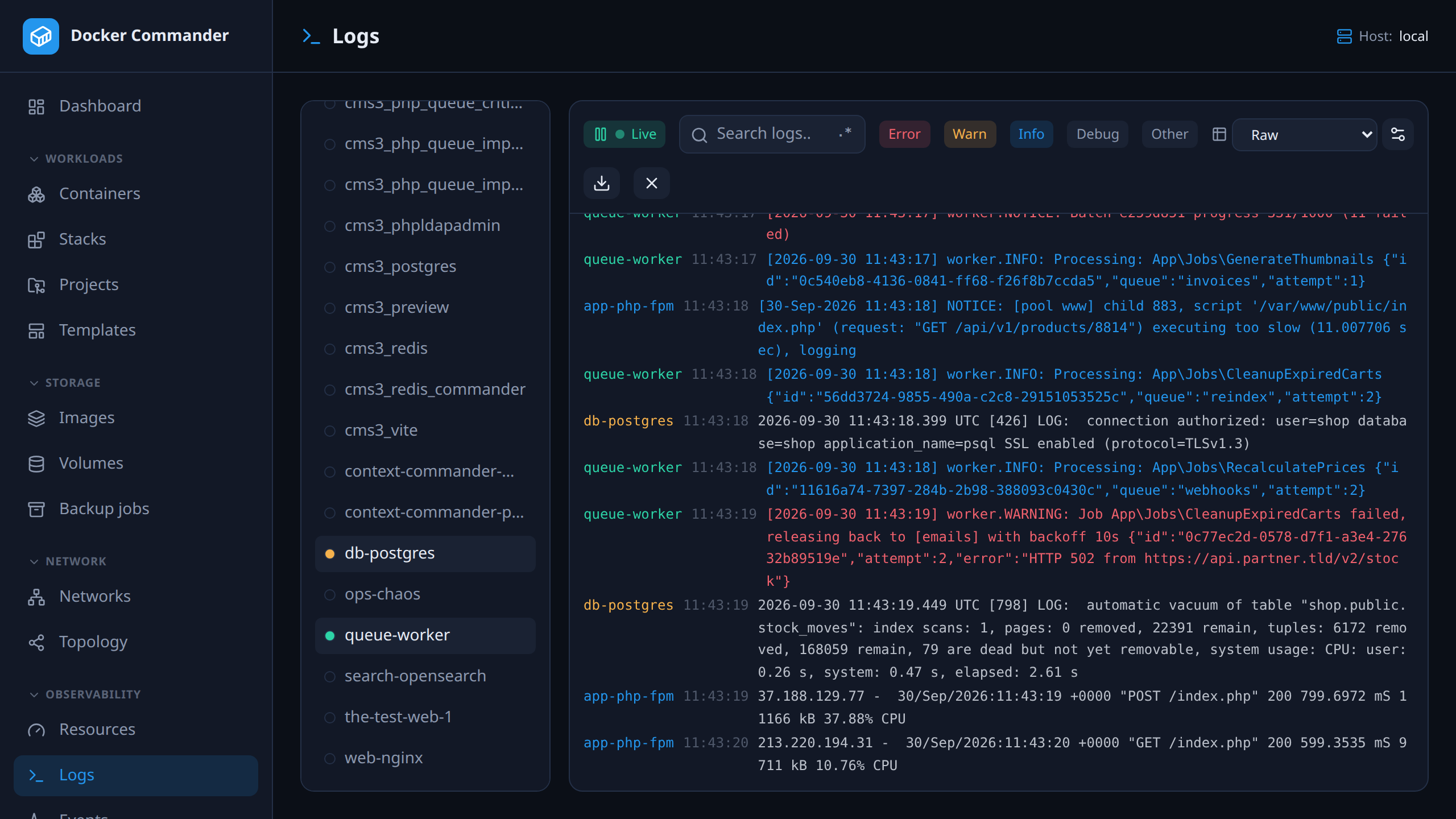
Tail one container or merge many into a single color-coded stream, with level detection, regex search and saved parse rules that turn lines into columns. Whatever the filter leaves on screen downloads as a .log file.

127.0.0.1:8470
The aggregated log view: lines from several containers in one stream, colored by source, with level filters and a search box.

Troubleshooting that checks the host, too

A battery of read-only checks reports OK, warning, failed or skipped: overlapping Docker subnets — including against the host’s own interfaces, the classic corporate-LAN or VPN collision — duplicate host ports, logging without rotation, MTU mismatches, low disk where Docker keeps its data and dangling networks or volumes. Remote hosts are probed over SSH.

The shape of the system

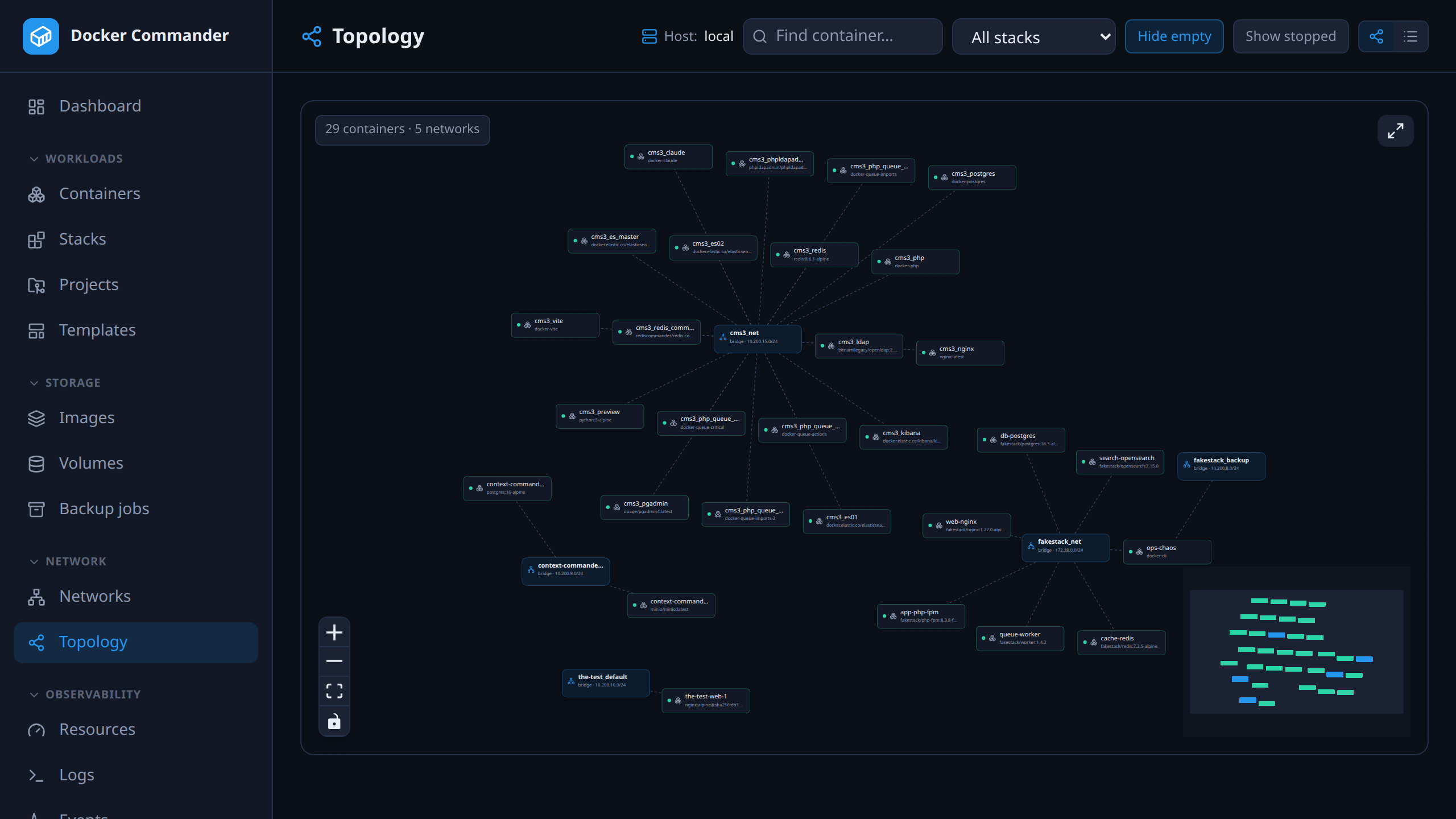
An interactive graph of containers and the networks they sit on, with search and Compose-stack filtering — and a list view when the graph gets crowded.

127.0.0.1:8470
The topology graph: containers connected to their networks, with a stack filter and search.

The complete list

Everything in monitoring

Live and historical, per container, per stack and per host.

  • Live CPU and memory graphs over WebSockets, plus historical charts (Redis or in-memory).
  • A dashboard driven by the Docker events stream: host facts, disk usage, per-container share of host CPU and memory, host-wide network throughput, a Top talkers panel and a port scan that fingerprints what is actually listening.
  • Resources page: CPU, memory and network per container and per stack every 5 s; top talkers over a stored 5 min / 15 min / 1 h window; a Disk tab with shared image layers counted once and what a prune would free.
  • Per-container network throughput (derived rate, so a recreate reads as a gap rather than a spike), totals, packets, dropped and errors, plus endpoint totals on a network’s own detail page.
  • Per-container log tail and a global aggregated stream with level detection, regex search, saved parsing rules and a download of exactly the filtered view.
  • Troubleshooting: subnet overlaps (between networks and against the host’s interfaces), duplicate host ports, unrotated logs, bridge MTU, low disk and dangling networks or volumes — over SSH for remote hosts, skipped rather than guessed where there is no shell.
  • Events feed, container diff and top, and raw JSON inspect for any object.
  • Interactive containers-and-networks topology graph with search and Compose-stack filtering, plus a compact list view.

Try it on one host tonight

It is one binary and a named volume. If you do not like it, delete both — nothing on your Docker hosts was changed to accommodate it.

Docker Commander v1.7.2 — Docker, hardened
docker run -d --name dockercmd \
  -p 127.0.0.1:8470:8470 \
  --group-add "$(stat -c '%g' /var/run/docker.sock)" \
  --read-only --tmpfs /tmp \
  --security-opt no-new-privileges \
  --cap-drop ALL \
  -v /var/run/docker.sock:/var/run/docker.sock \
  -v dockercmd-data:/data \
  ghcr.io/koduj-dev/docker-commander:latest

Read-only root filesystem, no added capabilities, no privilege escalation, bound to localhost. On rootless Docker or Docker Desktop, drop the --group-add line.

Show the minimal command
Docker — minimal
docker run -d --name dockercmd -p 127.0.0.1:8470:8470 \
  -v /var/run/docker.sock:/var/run/docker.sock \
  -v dockercmd-data:/data \
  ghcr.io/koduj-dev/docker-commander:latest

Fewer flags, and correspondingly fewer guardrails. Fine for a throwaway look on a machine you do not mind losing; the hardened form above is what belongs on anything you keep.

MIT licensed · no account · no telemetry · Linux, macOS and Windows