Second factors, self-served
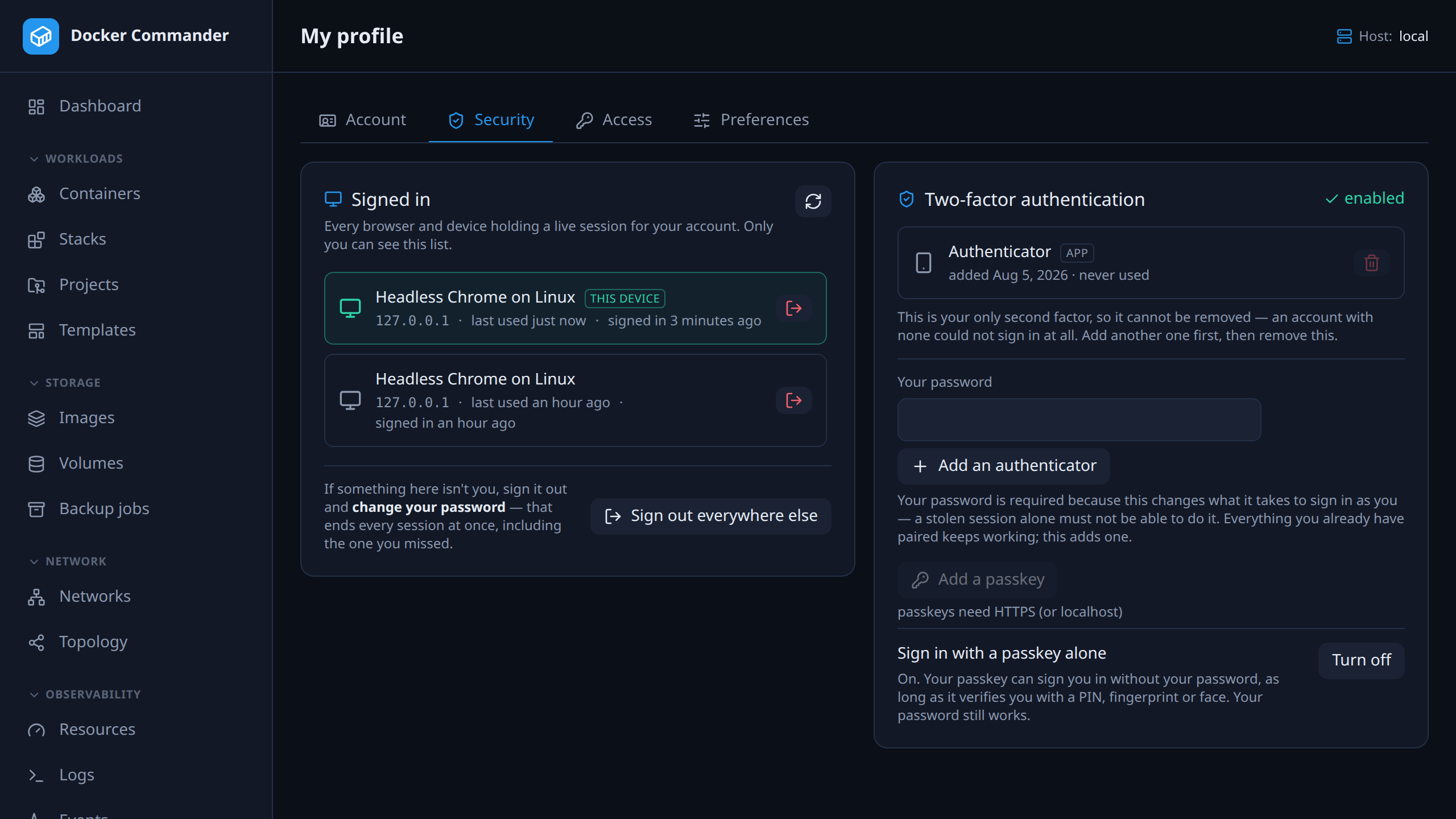
TOTP or passkeys, enforced by default. Every account manages its own authenticators, changes its own password, and sees its live sessions by device and address — ending any one of them, or all the others at once.
Users & access
Second factors on by default, named roles scoped to hosts, read-only accounts, directory login and an audit log that names the host — for a tool that holds the keys to your servers.
This page answers
TOTP or passkeys, enforced by default. Every account manages its own authenticators, changes its own password, and sees its live sessions by device and address — ending any one of them, or all the others at once.
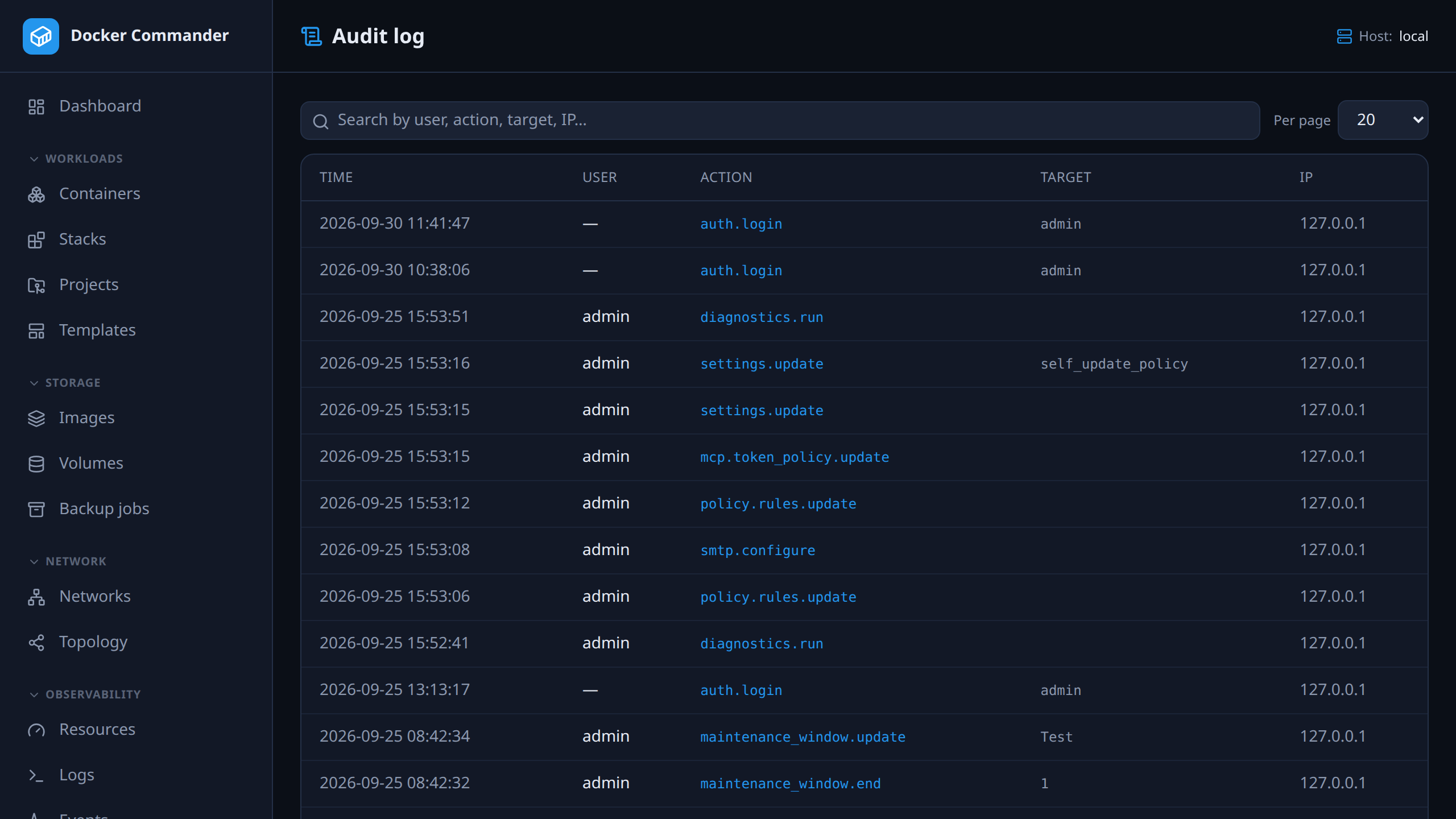
Who did what and when — with the detail of how it happened and the host the action actually reached, searchable. A reader limited to some hosts only sees those hosts’ entries.
The complete list
Multi-user with real boundaries.
In the user manual
It is one binary and a named volume. If you do not like it, delete both — nothing on your Docker hosts was changed to accommodate it.
docker run -d --name dockercmd \
  -p 127.0.0.1:8470:8470 \
  --group-add "$(stat -c '%g' /var/run/docker.sock)" \
  --read-only --tmpfs /tmp \
  --security-opt no-new-privileges \
  --cap-drop ALL \
  -v /var/run/docker.sock:/var/run/docker.sock \
  -v dockercmd-data:/data \
  ghcr.io/koduj-dev/docker-commander:latest
Read-only root filesystem, no added capabilities, no privilege escalation, bound to localhost. On rootless Docker or Docker Desktop, drop the --group-add line.
docker run -d --name dockercmd -p 127.0.0.1:8470:8470 \
  -v /var/run/docker.sock:/var/run/docker.sock \
  -v dockercmd-data:/data \
  ghcr.io/koduj-dev/docker-commander:latest
Fewer flags, and correspondingly fewer guardrails. Fine for a throwaway look on a machine you do not mind losing; the hardened form above is what belongs on anything you keep.
MIT licensed · no account · no telemetry · Linux, macOS and Windows