Skip to content

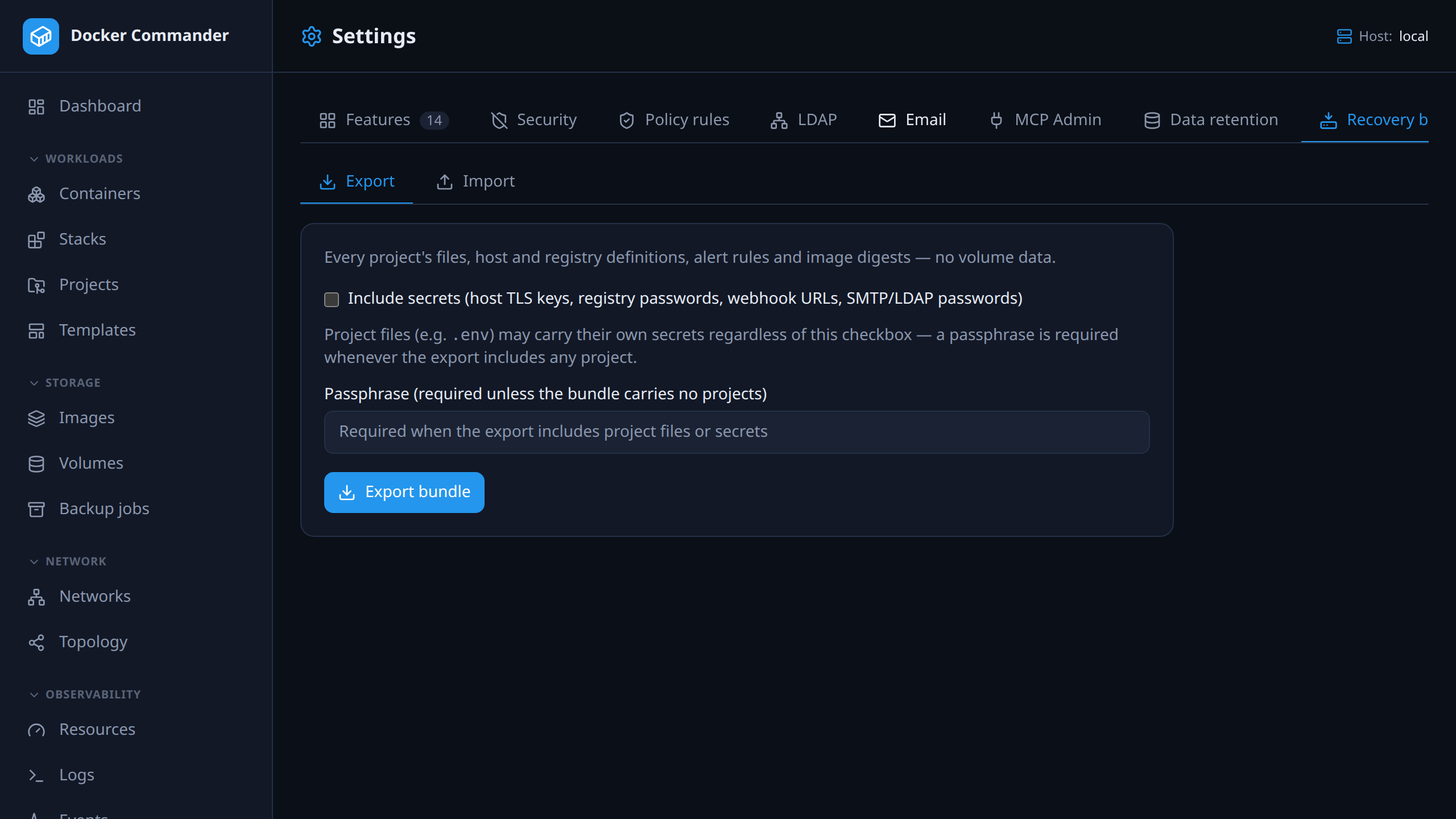
Recovery bundle

Export everything Docker Commander knows — projects and their files, hosts, registries, alert rules, webhooks, image digests and optionally settings — into one encrypted .dcbundle, and import it on another server. Import always inspects first against the target host, and never overwrites anything by name.
127.0.0.1:8470
The recovery bundle tab: export options and an import that inspects first.

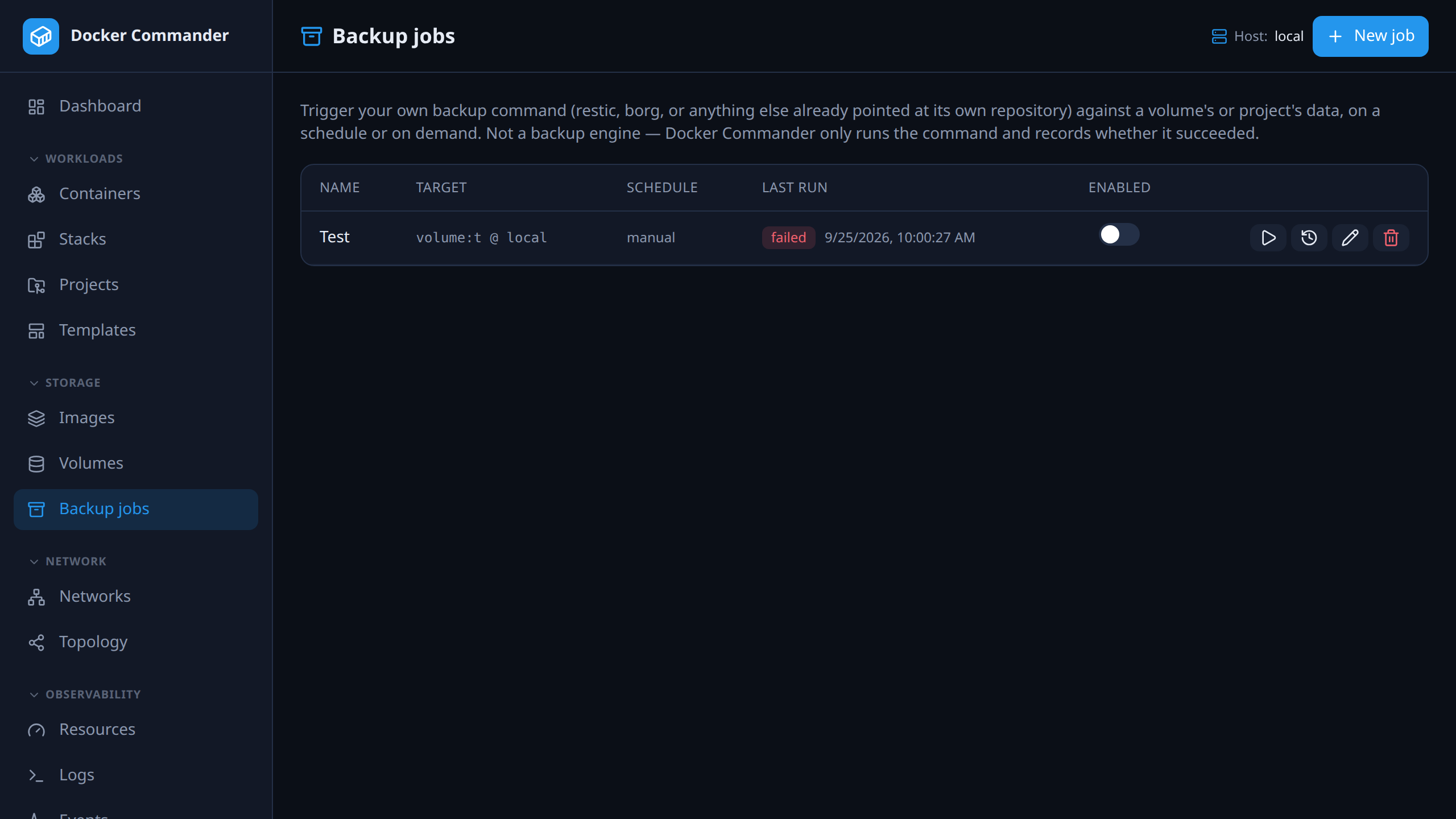
Volume backup jobs

Point restic, borg or any command you already use at a volume or every volume of a project, on an interval or on demand. Each run is recorded with its exit code, output and duration; credentials are encrypted and never returned once saved.

127.0.0.1:8470
Backup jobs with schedule, target volumes and the last run’s status.

History that cleans up after itself

A daily purge keeps alert events, delivery records, the audit log and project revisions to a per-area limit — or forever, if you say so. The page shows what the last run deleted.

127.0.0.1:8470
Data retention settings with a limit per area and Purge now.

The complete list

Everything in operations

Boring to run, on purpose.

  • Single CGO-free binary with the UI embedded, a config file, a /healthz probe and an optional rotating log file (-log-file).
  • Automatic HTTPS from Let’s Encrypt for a public host via ACME tls-alpn-01 — no reverse proxy and no port 80 needed — or a static certificate, or --make-certs for a self-signed one.
  • Runs behind a reverse proxy at the root of its own (sub)domain or under a path such as /dockercmd/, read from X-Forwarded-Prefix or DC_BASE_PATH — page, API, WebSockets and the session cookie all stay under it.
  • Settings are checked at startup: a value that doesn’t parse stops the server with an error naming it, and an unknown DC_… key in the config file is logged as a likely typo.
  • Installs itself as a native service: systemd on Linux, launchd on macOS, the Service Control Manager on Windows.
  • One-tap in-app update and restart for admins, an opt-in auto-apply policy capped at patch, minor or major, and dockercmd --self-upgrade with SHA-256 verification and an atomic binary replace.
  • dockercmd --backup / --restore: a portable, optionally passphrase-encrypted snapshot of the database, projects, templates and revisions, safe to take while running.
  • Recovery bundle: an encrypted, inspect-before-import export of projects, hosts, registries, alerting and settings for moving to another server.
  • Volume backup jobs wrapping your own restic / borg / script, with run history and encrypted credentials.
  • Data retention: a daily purge of old alert events, deliveries, audit entries and revisions, per-area limits, on by default.

Try it on one host tonight

It is one binary and a named volume. If you do not like it, delete both — nothing on your Docker hosts was changed to accommodate it.

Docker Commander v1.7.2 — Docker, hardened
docker run -d --name dockercmd \
  -p 127.0.0.1:8470:8470 \
  --group-add "$(stat -c '%g' /var/run/docker.sock)" \
  --read-only --tmpfs /tmp \
  --security-opt no-new-privileges \
  --cap-drop ALL \
  -v /var/run/docker.sock:/var/run/docker.sock \
  -v dockercmd-data:/data \
  ghcr.io/koduj-dev/docker-commander:latest

Read-only root filesystem, no added capabilities, no privilege escalation, bound to localhost. On rootless Docker or Docker Desktop, drop the --group-add line.

Show the minimal command
Docker — minimal
docker run -d --name dockercmd -p 127.0.0.1:8470:8470 \
  -v /var/run/docker.sock:/var/run/docker.sock \
  -v dockercmd-data:/data \
  ghcr.io/koduj-dev/docker-commander:latest

Fewer flags, and correspondingly fewer guardrails. Fine for a throwaway look on a machine you do not mind losing; the hardened form above is what belongs on anything you keep.

MIT licensed · no account · no telemetry · Linux, macOS and Windows