
Logs
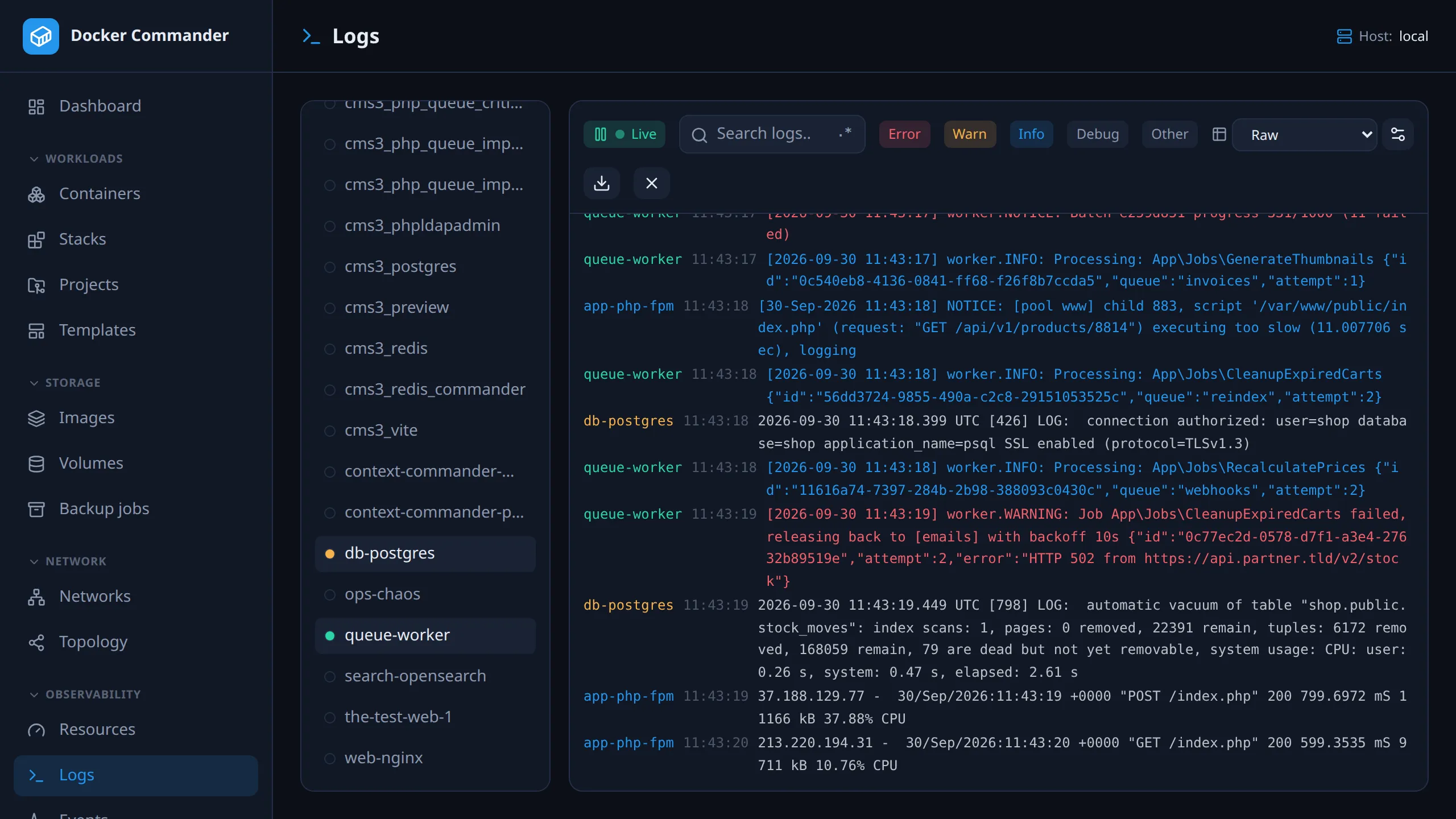
Live logs from many containers at once, interleaved by time and color-coded by source. For one container, its detail page (Logs tab) is quicker.
Common tasks
Section titled “Common tasks”Find errors across a whole stack. Select its containers on the left and switch off every level except error. Lines with an HTTP 5xx status count as errors and 4xx as warnings, so access logs filter too.
Follow one request through several services. Select them, turn on the
.* button and search for the request id, or a pattern such as
timeout|refused. Search ignores case in both modes.
Read access logs as a table. Click the gear icon, start from the nginx preset, check the preview against the latest line, and click Add rule. Then pick the rule in the toolbar dropdown.
Get told next time. Turn the pattern into a Log pattern rule in Alerts. Alerts watch the logs on the server, so nobody needs to have this page open.
Using it
Section titled “Using it”- Pick sources on the left. Only running containers are listed, and the selection is remembered across visits.
- Search filters lines; the
.*button switches to regular expressions. An invalid pattern is flagged and matches nothing, it never crashes the view. - Level filters (error, warn, info, debug, other) show or hide lines by
detected level.
stderrlines are highlighted. - Click the Live badge to freeze the live tail (it then reads Paused);
click again to resume. The view auto-scrolls while you are at the bottom. The
X icon (Clear) empties it, and the download icon saves the filtered view
as a
.logfile.
Structured parsing
Section titled “Structured parsing”Parse rules turn free-text lines into columns.
- Open the parse-rules manager (gear icon) and add a regex with named
groups, e.g.
(?<ip>\S+) .* "(?<method>\S+) (?<path>\S+). - Or start from a preset (nginx, Apache, logfmt, level + message, ISO timestamp, key=value). A live preview tests it against the latest line.
- Select the rule in the toolbar dropdown. Matching lines show as a table, one column per named group. Lines that don’t match show as raw text.
Parsing runs in your browser on the lines already shown, so it is instant. Only the rule itself is saved on the server.
Technical notes
Section titled “Technical notes”- Each source starts with its last 100 lines, then streams live.
- The view keeps the newest 3000 lines. Search, filters and Download only see those.
- Levels are guessed from keywords (
error,fatal,warn,debug…) and from 3-digit numbers that look like HTTP status codes. Any space-separated 3-digit number counts, sotook 503 msis shown as an error. - Rules use JavaScript regex syntax, since they run in the browser.
Permissions
Section titled “Permissions”Viewing logs also needs read access to Containers: the source list and the log stream come from there. Parse rules are shared by all users. Adding or deleting one needs write access to the Logs section. See Users & roles.