Events
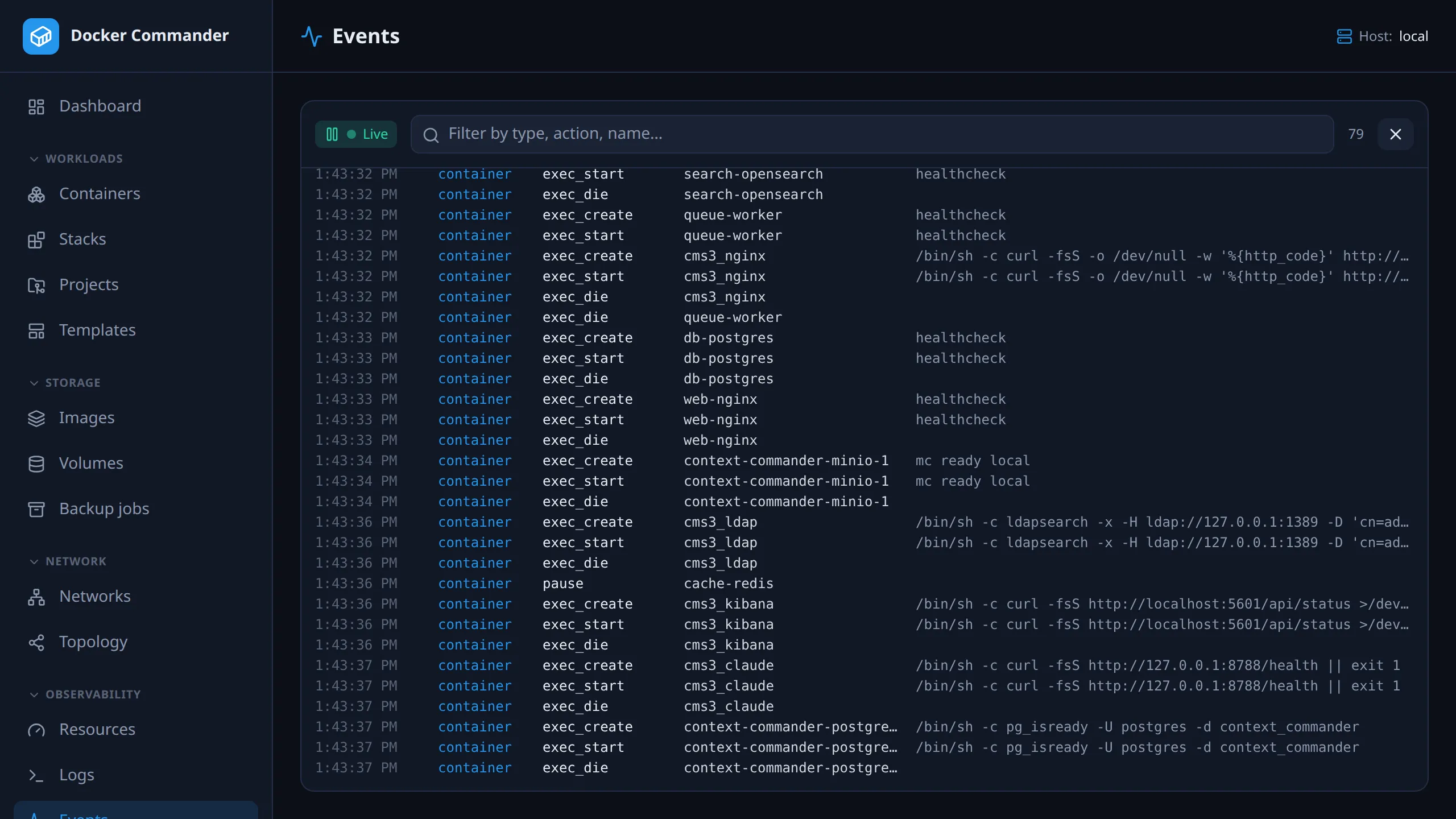
A live feed of Docker daemon events for the host selected in the sidebar: containers starting and dying, images pulled, networks and volumes created. For what users did in Docker Commander, see the Audit log.
Common tasks
Section titled “Common tasks”Find out why a container keeps dying. Type its name in the filter and wait
for the next die, kill or oom. Destructive actions are shown in red.
See what a deploy really does. Open Events, then deploy from another tab.
The create, start and destroy lines show which containers were actually
recreated.
Spot commands run inside containers. Filter by exec. For an action such
as exec_create: /bin/sh, the command (/bin/sh) shows at the end of the row,
after the name.
Turn it into an alert. Events are exactly what state and restart rules
in Alerts fire on. Watch here to learn the pattern, then codify it
as a rule.
Using it
Section titled “Using it”- Each row shows the time, the object type (container, image, network, volume, color-coded), the action and the object name, or its short id when Docker reports no name.
- An action with a colon is split into the verb and its detail. For
exec_create: /bin/shorhealth_status: unhealthy, the action column shows the verb and the part after the colon goes at the end of the row, after the name. Hover it for the full text. - Click the Live badge to freeze the stream (it then reads Paused); click again to resume. The X icon (Clear) empties the view.
- The filter matches type, action, name and id together, not each separately.
Technical notes
Section titled “Technical notes”- The feed is live only. It starts when you open the page, shows no history, and keeps the newest 2000 events, dropping the oldest.
- It streams over a WebSocket. If the connection drops, the badge changes from Live to Reconnecting… and it retries every 1.5 seconds. Events from the gap are not replayed.
- Events follow the host chosen in the sidebar switcher.